
Open the Variables window
ChooseWindow > Variables or View > Variables. The window has two sections:
- Suggested Variables: values Relay offers automatically, grouped by source. Wireless telemetry from Shure devices appears here.
- Custom Variables: values you add yourself.
Suggested wireless variables
Relay suggests a variable for each metric a wireless channel reports: Audio, Battery %, and RF. Each suggestion is named after the device and channel you saved, followed by the metric, and shows its device, channel, and metric underneath. For example, the battery level of a channel called01-DRUMS on device IEM3.101 appears as iem3_101_01_drums_battery.
Each row also shows its status, such as Never received until Relay has heard from the device. Each row also has + and − controls.
Because suggestions use the names you saved for your devices, a battery or RF value is easy to recognize. See Wireless devices for how to add and name your devices.
Add a custom variable
- Open the Variables window.
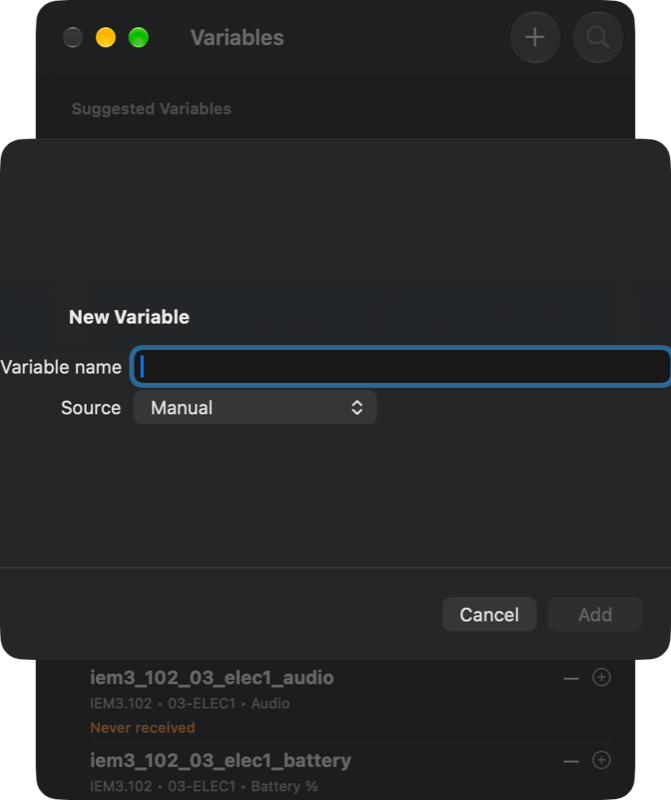
- Select the
+button in the window toolbar (Add Manual Variable). - Enter a Variable name. The Source is set to Manual.
- Choose
Add.
Where you can use them
- Text inputs, such as the Text module.
- Automations, alongside the variable utility nodes in Automation View.
Related
Automation
Use variables inside graphs.
Live Mode
Wireless telemetry variables are suggested for live production.